Darul Huda Islamic University Logo
جامعة دار الهدى الإسلامية
DARUL HUDA ISLAMIC UNIVERSITY

Tilawa Course

Central Board of Examinations • Assessment Platform

DHIU Darul Huda Islamic University • Academic affairs
Darul Huda Islamic University
TILAWA COURSE
@admin - Central Admin
Overview
Dashboard
People
Students Colleges College Logins Student Passwords
Assessment
Exams Oral Test Marks Examination Attendance Results Bulk Result Import Historical Results & Attendance Certificates College Exam Reports
Resources
Documents
Support
Support Tickets 0
System
Settings Logout
Overview
Dashboard
Assessment
Online Exams My Results My Certificates
Resources
Downloads
Helpdesk
Support & Contact 0
Account
Profile Logout
Overview
Dashboard
Students
All Students
Assessment
Exam History Results & Analytics Download Results Exam Reports Certificates
Institution
College Profile
Account
Change Password Logout
A
Administrator
admin@onlineexam.com
Overview / Dashboard

Dashboard

Online
12:00:00 PM

Admin Dashboard Overview

Darul Huda Islamic University • Central Examination & Assessment Management System

DHIU Emblem
0 Total Students
0 Total Exams
0 Active / Published
0 Completed Attempts
0% Overall Pass Rate
Created Examinations (0)
Loading examinations...

Recent Exam Submissions

Student Name Exam Title Score / Total Percentage Status Submitted At
Loading submissions...
Students Directory (0)
Roll No Adm No Student Details College Name Exams Taken Avg Score Actions
Loading students list...
Colleges Directory (0)
# College Code College Name Enrolled Students Assigned Exams Actions
Loading colleges list...
Student Passwords & Login Credentials (0)
All Colleges
# Roll No Student Username Student Name College Code College Name Password Action
Loading student credentials...
College Administrator Logins (0 Colleges)
Standard Auto-Generated Credentials: Username = [College Code]admin (e.g. AHIAadmin) • Default Password = [College Code]123 (e.g. AHIA123).
# College Code College Name Principal / Contact Students College Admin Username Password Status Actions
Loading college administrator credentials...

Examinations Management

Create, configure duration, set pass marks, assign question sets, and publish exams for students.

ORAL ASSESSMENT • OFFLINE COMPONENT

Oral Quran Recitation & Marks Management

Manage candidate oral examination marks, bulk uploads, verification, and examiner records.

Eligible Candidates
0
Ready for evaluation
Marks Entered
0
Ready for verification
Pending Evaluation
0
Awaiting marks
Marks Verified
0
Verified by examiner

Candidate Oral Marks Ledger

Enter recitation marks, verify scores, and upload evaluations

Total: 0 Candidates
All Statuses
Pending
Marks Entered
Verified
Configured Component: Quran Recitation • Maximum Mark: 20 Marks • Min Pass Mark: None
# Candidate / Register No College Oral Mark Status Examiner / Verifier Actions

Select an Examination

Please select an examination from the dropdown above to view candidates and enter oral recitation marks.

EXAMINATION ATTENDANCE REGISTRY • MCQ & ORAL SESSIONS

Examination Attendance Management

Track candidate attendance across Online MCQ exams and Oral recitation sessions, synchronize combined eligibility, and export records.

Total Students
0
MCQ Present
0
MCQ Absent
0
Oral Present
0
Oral Absent
0
Complete
0
Not Completed
0
Attendance updated successfully.
No. Student Registration No. College MCQ Attendance MCQ Score

Select an Examination

Select an examination from the dropdown above to view and manage attendance.

Examination Results & Publishing Hub

View multi-component scores (Written + Oral), calculate deterministic ranks, review college performance, and publish final results.

0 Total Candidates
0 Passed Candidates
0 Failed Candidates
0% Overall Pass Rate
Final Results & Mark List (0)
Rank Candidate / Reg No College Written MCQ Oral Recitation Total Score Percentage Result Publication Certificate Actions
Please select an examination to load results.
Consolidated Historical Records

Historical Examination Results & Comprehensive Attendance

Centralized university repository showing real-time & historical MCQ test scores, Oral recitation marks, final evaluated percentages, ranks, and attendance status across all participating colleges.

Total Candidates
0
Attended / Present
0
Absent / No Record
0
MCQ Submissions
0
Total Passed
0
Pass Rate
0%
Avg Score
0
# Candidate / Reg No College / Campus Examination Attendance MCQ Score Oral Recitation Total Marks Percentage Result Status Actions
Loading historical results & attendance data...
Historical Examination Migration

Bulk Historical Exam Result Import (CSV Upload)

Upload official examination marks for colleges whose assessments were conducted offline prior to portal implementation. Safely records historical marks without creating fake question-level online attempts or simulated activity logs.

Step 1: Choose Examination & Import Mode

Configure your upload settings, duplicate policy, and download matching CSV template.
Expected CSV Columns for: Main / Final Result Import
admission_number, username, student_name, college_name, course, batch, mcq_marks, oral_marks, total_marks, result_status, attendance_status, exam_date
Sample Row Preview (Auto-Generated):
212, AHIA212, "MUHAMMED ARSHID P", "Al Hidaya Islamic Academy – Kalamassery", Tilawa Course, 2026, 38, 24, 62, PASSED, PRESENT, 2026-02-15
• Matching is supported by either admission_number or student username.
• Offline imported students will have exam_source = 'OFFLINE_IMPORTED' and mcq_record_status = 'NOT_RECORDED'.

Step 2: Upload CSV File

Drag & Drop CSV File Here or Browse File
Supports standard UTF-8 encoded .csv files up to 10MB
filename.csv
0 KB

Step 3: Validation & Data Preview

Review all student rows before committing to the database.
Total CSV Rows
0
Valid Ready Rows
0
Existing Records
0
Errors / Invalid
0
Some rows contain validation issues (0 rows)
Rows with errors will be skipped during import. You can download the error CSV, fix the issues, and re-upload, or proceed to import only the valid rows.
Row Status Admission No Username Candidate Name College MCQ Marks Oral Marks Total Result Attendance Validation Notes

Bulk Import Audit Log

Track past historical data import batches and execution records.
# Date & Time Import Type Target Examination Total Rows Imported (New) Updated Skipped Errors Admin
No historical bulk imports recorded yet.
0 Total Issued Certificates
2025-2026 Active Academic Year
DHZB26116 Next Certificate ID
Year, Prefix & Grades
Official Certificates Management (0)
Certificate ID Student Name Adm No College / Campus Academic Year Tajwid Grade Qirā’ath Grade Total Marks Issue Date Downloads Status Actions
Loading issued certificates...

Admin Profile & Password Settings

Security
Update admin profile details or change admin login password below.
Change Admin Password (Leave blank to keep current)

Exam Security & Lockdown Settings

Lockdown Engine
Configure strict proctoring and browser lockdown rules for online exams.

Dynamic Certificate & Grading Configuration

Configure serial sequence counters, academic year codes, and evaluation grade rules

Atomic Counter Active

1. Academic Year & Certificate ID Scheme

Displays as "Academic Year 2025-26"
Derived from year (e.g. 2025-2026 → 26)
Fixed prefix for university certificates
Next certificate will receive: 116
LIVE CERTIFICATE ID FORMAT PREVIEW:
DHZB26116
Format: [PREFIX] + [YY] + [SERIAL]

2. Grade Criteria & Recitation Proficiency Rules

Defines student grade calculation based on component / subject marks (out of 50)

Grade Min Marks (out of 50) Max Marks (out of 50) Proficiency Description
A
B
C
DYNAMIC CERTIFICATE FOOTER PREVIEW:
*Grading System: Grade A represents excellent proficiency (42-50 marks), Grade B represents good proficiency (33-41 marks), and Grade C represents satisfactory proficiency (25-32 marks) in Tajwid recitation.
Central Board of Examinations • Official Institutional Reports

College Examination Reports Hub

Generate, preview, issue official PDF reports per college & exam, and dispatch directly to College Administrator portals.

DHIU Emblem

Report Configuration Parameters

Customize academic session, target institution, examination parameters & official document dates

Configure Official Signatories (Prepared By & Approved By) Expand / Edit
PREPARED BY (LEFT SIGNATORY):
APPROVED BY (RIGHT SIGNATORY):

Select Academic Session / Year

Course Dates Range Calendar

OFFICIAL DOCUMENT PREVIEW (A4) Select college and exam to preview

No College or Examination Selected

Please select an Academic Year, Target College, and Examination from the configuration panel above to load the live official examination report.

Official Reports History & Dispatch Archive (0)
Report ID Ref No College / Campus Examination Year Candidates Result Breakdown Status Date Issued Actions
Loading generated reports history...

Document & Download Center Management

Publish Google Drive resources, organize dynamic academic categories, manage student access rules, and track file download metrics.

0 Total Documents
0 Published
0 Hidden Drafts
0 Categories
0 Total Downloads
Document Repository (0)
# Document Name Category Type & Size Visibility Target Scope Downloads Date Added Actions
Loading documents repository...
S
College Name Roll No: - Adm: -

Welcome back, Student! ✨

Track your academic assessments, launch live examination sessions, and monitor scorecard analytics.

DHIU Emblem
Available Assessments Live
0 Ready for attempt
Completed Exams Logged
0 Evaluations submitted
Passed Exams Success
0 Met pass marks criteria
Overall Average Score
0%
LIVE Assigned & Available Examinations (0)
My Recent Exam Submissions & Results
Assessment Title Marks Obtained Percentage Evaluation Status Submitted Date Action
No exam submissions recorded yet.

Available Examinations

Select your assessment below to begin. Ensure you have a stable network and review time limits before starting.

Proctored Environment Active

Examination Results & Scorecards

Review comprehensive performance analytics, question breakdown, and official evaluation records.

Completed Assessment Records (0)
Examination Title Assessment Components Total Score Percentage Standing Result Status Actions & Certificate
Loading your exam records...

My Official Certificates

View, preview, and download your authentic accredited course completion certificates issued by the Office of Academic Affairs.

Official Verification System

Loading your certificate credentials...

Downloads Center

Access and download official resources.

Categories

Loading available official resources...

Student Profile & Identity

View your verified digital student credentials, college affiliation, and manage your account details.

Verified Account
DHIU Logo DARUL HUDA ISLAMIC UNIVERSITY
S

Student Name

@student
Registered Candidate
College / Campus General
Roll Number -
Admission Number -
Edit Account Credentials
Assigned by institution administrator
Leave blank to keep your existing password
DHIU Student Support Desk

Support & Helpdesk Center

Need assistance with exams, credentials, results, or technical inquiries? Create a ticket and our academic team will assist you.

DHIU Emblem
Total Tickets 0
Open / In Progress 0
Awaiting My Reply 0
Resolved / Closed 0
My Support Tickets (0)
Ticket ID Subject & Category Priority Status Created Last Activity Action
Loading your tickets...
Central Support & Helpdesk Dispatch

Support Tickets & Student Helpdesk

Review, respond, assign, and resolve student tickets, exam queries, login issues, and official appeals.

DHIU Emblem
0 Total Tickets
0 New / Open
0 In Progress
0 Waiting Student
0 Resolved
0 Closed
All Support Tickets (0)
Ticket ID Student Details Subject & Category Priority Status Created Last Activity Assigned Actions
Loading all support tickets...
COLLEGE PORTAL

College Admin Portal

Institutional Examination Management • Student Records & Performance Analytics

DHIU Emblem
0 Total Students
0 Active Students
0 Inactive Students
0 Exams Taken
0 Passed (0%)
0 Failed
Quick Operations
Recent Examination Results (College Students)
Student Name Adm No / Roll Examination Written Oral Total Marks Percentage Status Exam Date Action
Loading recent exam attempts...
Students Directory (0)
# Photo Student Name Admission No Roll No Username Course / Batch Password Status Actions
Loading students...
College Examination History (0)
Exam Name Duration & Marks Status Appeared Passed Failed Avg Score Actions
Loading examination history...
0 Total Appeared
0% Pass Percentage
0% Average Score
0% Highest Score
College Results Directory (0)
0 Result(s) Selected
Student Name Admission No Roll No Examination Written Oral Total Marks Percentage Status Exam Date Actions
Loading results...
Download Examination Results (College Scope)

CSV Spreadsheet Export

Download all examination performance records for your college in universal CSV format compatible with Excel and Google Sheets.

Filtered Results Export

Apply custom filters on exams, passed/failed candidates, courses, and batches, then export tailored result sheets.

Individual Scorecard PDFs

View individual student scorecards with question review and print/save high-definition PDF certificates.

Central Board of Examinations • Official Reports

Official College Examination Reports

View and download official institutional result statements, score sheets, and attendance compliance records issued by Darul Huda Islamic University.

DHIU Emblem
Issued Examination Reports (0)
Report ID Ref No Examination Academic Year Enrolled Passed / Failed Status Dispatched Date Actions
Loading your official examination reports...
Central Board of Examinations • Verified Certificates

Official Student Course Certificates

Generate, preview, print, and bulk download verified completion certificates for eligible passing students from your institution.

DHIU Emblem
Eligible Student Certificates (0)
0 Certificate(s) Selected
Certificate ID Student Details Admission / Roll Examination Score Tajwid Qiraath Eligibility Actions
Loading eligible certificates...
Institutional Profile & Contact Details
Change College Admin Password
DHIU Logo Darul Huda Islamic University • Central Board of Examinations
© 2026 Darul Huda Islamic University. All rights reserved.
DHIU Logo

Mathematics Quiz

10 Questions • Student
SECURE EXAM MODE
Violations: 0 / 3
Time Remaining 00:00
All Questions
Answers auto-saved

Question Palette

Answered Unanswered
Total Questions: 0
Answered: 0
Unanswered: 0
Lockdown Active Do not switch tabs, minimize, exit fullscreen, or use prohibited shortcuts. All activities are monitored in real time.

Exam Security Warning

Fullscreen mode was exited or you moved away from the secure exam window. This security event has been recorded in your exam audit trail.

Violation Recorded: 1 / 3
Warning: Reaching the maximum limit will automatically submit or lock your exam session.

Submit Your Exam?

Are you sure you want to finish and submit your answers now? Once submitted, your score will be calculated.

0 Answered
0 Unanswered
DHIU

Start Examination

Darul Huda Secure Lockdown Environment

You are about to enter Secure Exam Mode. Please observe the following mandatory requirements:

  • Fullscreen Mode: The exam will occupy the entire screen. Do not exit fullscreen.
  • No Tab / App Switching: Leaving or minimizing the browser is recorded as a violation.
  • Restricted Shortcuts: Shortcuts (Ctrl+C, Ctrl+V, F5, F12, Escape, etc.) are blocked.
  • Timer Continuity: The timer runs continuously and answers are auto-saved in real time.
  • Violation Quota: Exceeding maximum violations will result in automatic exam submission.
Duration: 30 mins Questions: --

Exam Security Audit Trail

Student: -- | Exam: --
Total Violations 0
Submission Reason Manual
Total Logged Events 0
Time Security Event Violation # Details
No security events logged for this attempt.

Add New College

College Students

CODE
College Name
0 Students

Choose an option to manage students for this specific college:

Edit Student Details

Configure candidate identity, college affiliation, and portal credentials.

Academic Identity & College

Assign this candidate to their college/campus to match exam permissions.

Portal Login Credentials

Create New Examination

Configure assessment parameters, target colleges, scoring rules, and assigned questions.

Basic Exam Information & Target College
|

Select one or multiple colleges. Students in any of the chosen colleges will be able to take this exam.

Exam Components & Weightage
Calculated Total: 100 Marks

Configure multi-component assessments (e.g., Online MCQ Written Test 80 Marks + Offline Oral Quran Recitation 20 Marks). Total exam marks will be calculated dynamically.

Timing, Scoring & Publishing Status
Official Certificate Settings
Exam Resources & Attachments
Question Paper (PDF) Optional

Upload a PDF paper so students can view and download it.

PDF Uploaded
Import Questions CSV

Batch import questions directly into this examination.

0 Questions Ready
Question Options Ans Marks
Attached Questions 0
# Question Statement Options Correct Marks Actions
Loading attached questions...
Permanent Historical Record

Examination History Breakdown

Total Attempts
0
Students Appeared
Passed Students
0
0% Pass Rate
Failed Students
0
Needs Re-assessment
Average Score
0.0
Overall Student Average

Participating Colleges Breakdown

College Name Appeared Passed Failed Pass Rate Avg Marks
No college data available

Historical Student Attempts (0)

Snapshots Immutable & Protected
Reg No Student Name College Obtained Total Percentage Status Submitted At
Loading historical attempts...
All scores, certificates, and college submissions remain permanently archived.

Archive Examination

Safe preservation of historical examination data

Zero Data Loss Architecture
This examination contains student attempts. Archiving safely closes the exam to students while permanently preserving all attempt snapshots, marks, scorecards, and college results.

College Name

Attended

Examination Attendance, Marks, Absent & Evaluation Report

Total Enrolled
0
Registered Students
Attended
0
0% Attended
Absent
0
Not Appeared
Not Marked
0
Pending Marks
Passed / Failed
0 / 0
Pass vs Fail
No. Candidate Details Admission / Reg No MCQ Attendance MCQ Marks Oral Attendance Oral Marks Total Marks Result Status
Loading college attendance and marks report...
Showing real-time candidate attendance and scoring records for this college.

Add Multiple Choice Question

Detailed Exam Scorecard

Batch Import Students via CSV

College-Based CSV Columns: Roll Number, Admission No, Name, College Code, College Name.

Students are automatically assigned to colleges based on their College Code (e.g. AHIA, BUAC, CHS) or College Name.

Auto-Generated Credentials: Username: College Code + Admission No (e.g. CHS3834) • Password: Admission No (e.g. 3834).

Preview (0 Records Found):

Roll Adm No Student Name Code Assigned College

Batch Import Questions via CSV

CSV Format: Ensure headers: question_text, option_a, option_b, option_c, option_d, correct_option, marks.

Preview (0 Questions Found):

Question Text Options (A/B/C/D) Correct Marks

Assign Questions to Exam

Select an exam to link the checked question(s) to. They will be stored and updated in Supabase.

Ready to Submit Your Exam?

Once submitted, your examination session will end and your answers will be finalized.

Answered 0
Unanswered 0

Exam Submitted Successfully!

Answers Encrypted & Logged
RESULT COMING SOON

Your responses have been safely saved. Your detailed performance evaluation and scorecard will be accessible once officially published by the Administrator.

Create Support Ticket

Submit your inquiry, technical issue, exam appeal, or credentials assistance request.

Click to attach screenshot or document
#TKT-0000

Ticket Subject

Open Normal General
Student Name (@username | College)
Created: Date
Status:
Priority:
Assigned:
attachment
Press Enter or Send Reply to post.
This support ticket is currently closed.

Add New Student

Student will be automatically registered under Your College.

Used as initial student login password
Auto-Generated Login Credentials
Username: --- • Password: ---

Edit Student Profile

Update student academic records and personal details.

Student Full Profile

Academic records and examination history

S

Student Name

ACTIVE
Username: --- • Adm No: --- • Roll No: ---
Course
---
Batch
---
Password
---
Email
---
Date of Birth
---
Gender
---

Examination Performance Transcript

Exam Name Exam Date Written Oral Total Marks Percentage Status Scorecard
No examination history recorded yet.

Security Notice: Default Password

You are currently using the default College Administrator password. For account security, please set a strong private password before proceeding.

College Created Successfully!

The College Administrator account has been automatically provisioned with the credentials below:

College Name
College Name
College Admin Username
XYZ001admin
Initial Default Password
XYZ001123

Edit College Password

Update administrator access credentials

College Name CODE
College Name
Username: username
You can type any custom password or click Use Default.

Enter / Edit Oral Mark

Oral Quran Recitation Component

Candidate Details REG NO
Candidate Name
College: - Max Marks: 20
Required for auditing, accountability, and tracking revisions.

Bulk Upload Oral Marks

Import candidate marks via CSV with instantaneous validation & preview

Select CSV File
Safe Import Validation:
  • Matches students by Admission No / Username / Roll No
  • Validates marks strictly between 0 and Component Max Marks
  • Validates assigned college permissions
  • Shows complete preview before saving to database
Total Rows: 0
Valid: 0
Errors: 0
Updates: 0
Row Identifier Student Name College Marks Validation Status

Mark Revision Audit Log

Complete transparency of mark entries, examiner revisions, and reasons

Timestamp Candidate Old Mark New Mark Changed By Reason / Remarks
Loading audit records...

Publish Final Examination Results

Make results visible to students and generate certificates

Examination Title
Total Candidates 0
Passed Candidates 0
Failed Candidates 0
Pending Oral Marks 0
Notice: Some candidates still have pending oral marks. Their result status will be displayed as RESULT PENDING without a certificate until their marks are entered.

Are you sure you want to publish the results? Once published, all enrolled candidates will be able to see their scores, rankings, and download authentic completion certificates.

Publish Selected Candidates

Publish or unpublish final examination results for selected students

Examination Title
Selected Students 0
Selected Passed 0
Selected Candidates Preview

Choose whether to publish or unpublish the results for these selected students.

Official Examination Statement

Darul Huda Islamic University • Central Board of Examinations

Official Certificate ID: DHZB26115

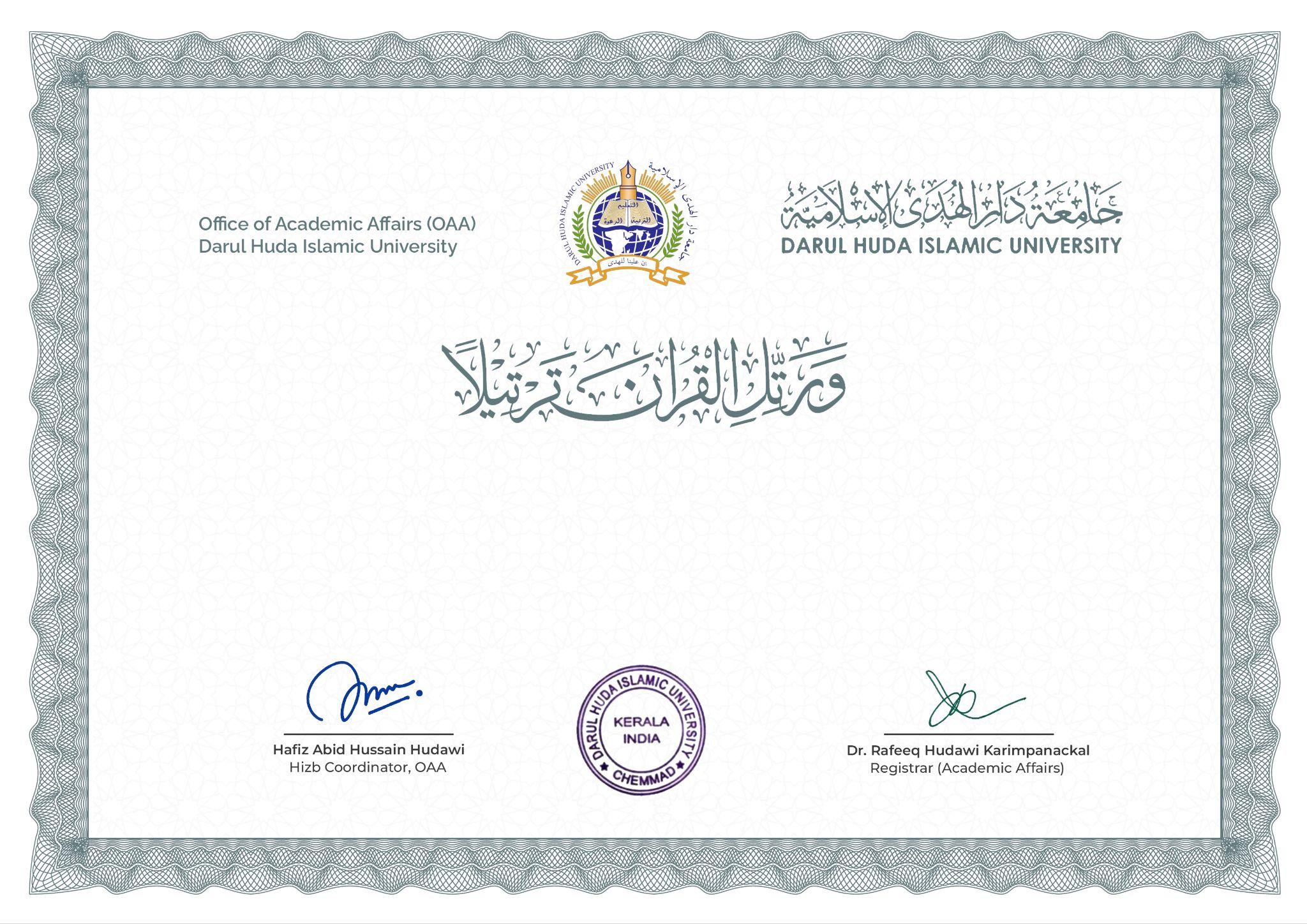
Darul Huda Islamic University • Academic Certificate of Achievement

Official Certificate Template
Certificate ID: DHZB26115
This is to certify that Mr. MOHAMMED AQUNAS O K, Ad. No: 1059, has successfully completed
the requirements of the Intensive Tilawa Course, conducted by the Office of Academic Affairs,
Darul Huda Islamic University during the academic year 2025–26.
In recognition of his proficiency in the prescribed examinations, he has been awarded B Grade in
Tajwid and A Grade in Qirā’ath, thereby completing the course with Merit.
*Grading System: Grade A represents excellent proficiency (42-50 marks), Grade B represents good proficiency (33-41 marks), and Grade C represents satisfactory proficiency (25-32 marks) in Tajwid recitation.

Official Certificate Verified

Office of Academic Affairs • Darul Huda Islamic University

Certificate ID: -
Student Name: -
Admission Number: -
Course / Program: Intensive Tilawa Course
Academic Year: -
Tajwid Grade: -
Qirā’ath Grade: -
Verification Status: VALID & AUTHENTIC
Issue Date: -

Add New Document

Publish and link Google Drive resources for student downloads

Make sure the Google Drive link is shared with "Anyone with the link can view".

Manage Document Categories

Organize and structure student resources into dynamic categories

Create New Category

Category Name Description Docs Order Actions
Loading categories...

Official Examination Report

Institutional Statement Snapshot